Abandoned Camps contain chests and barrels with loot in the released Minecraft 26.3 Wilderness Bound build. Their loot changed during development, so Snapshot 7 is still useful for understanding older guides, but the September 15 final release is now the baseline. A fixed loot table copied from an early snapshot should not be treated as current without version-specific evidence.
The useful approach is to separate confirmed changes from version-specific numbers. Mojang's notes clearly document several loot changes and the addition of Explorer Maps, while exact percentages require a current loot table or other version-specific evidence.
Abandoned Camp loot at a glance
When you find an Abandoned Camp, check both chests and barrels and do not ignore placed camp items. Wilderness Bound camps can also contain Straw Beds, Cushions, and Explorer Maps, so the value of a camp is not limited to a single chest roll.
For the map system, see Wilderness Bound Explorer Maps. If you are searching for the structure rather than its loot, use How to Find an Abandoned Camp and the 18-biome spawn list.
Which containers can appear?
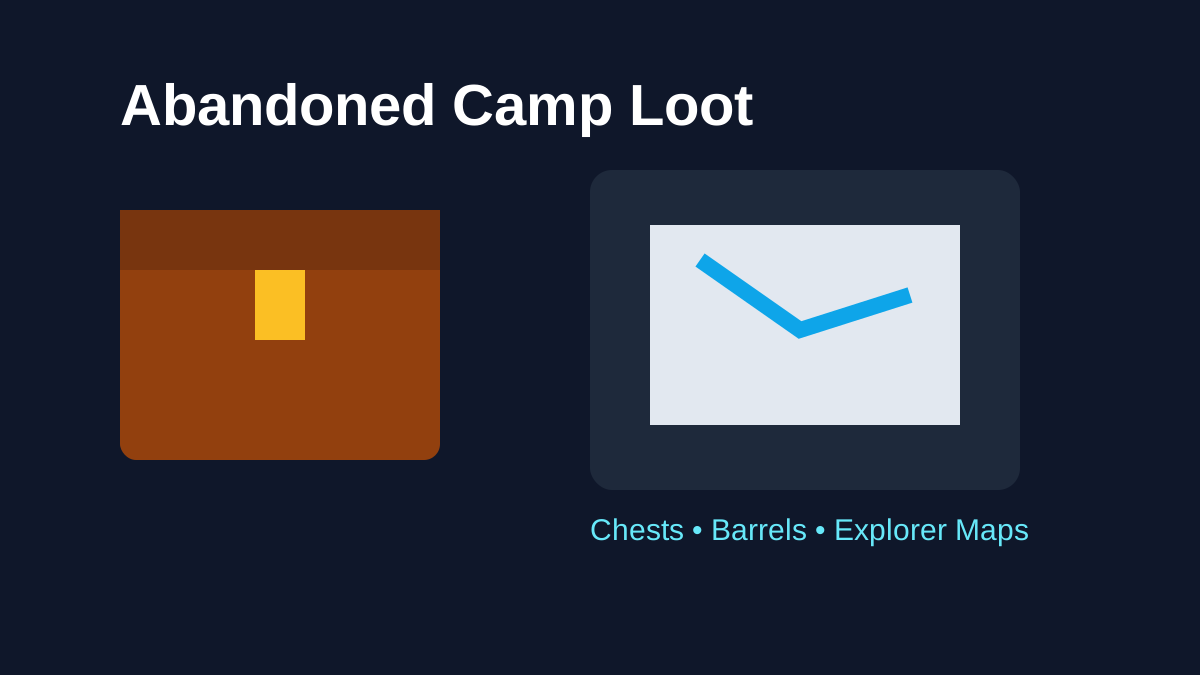
Mojang's original Abandoned Camp description says various Chests and Barrels with loot can be found at camps. Different biome variants and structure pieces can affect the campsite layout, so do not assume every camp will present its containers in exactly the same visual arrangement.
When you find a camp, search the whole structure before leaving. Walk around tents, work areas and decorative pieces, and check both chest-style and barrel-style storage. A small container hidden by terrain or foliage is easy to miss in dense variants.
What changed in Snapshot 7?
Snapshot 7 is a key checkpoint for loot. Mojang notes changes to Abandoned Camp loot alongside the addition of new Explorer Maps. The development notes include an update to camp barrel loot and a specific change where a Firework Rocket was replaced with Gunpowder in the Camp Chest loot.
That is exactly the kind of small adjustment that makes snapshot-era percentage tables fragile. If a loot table was recorded before August 4, check which version it represents before relying on the details.
Explorer Maps are the standout reward
The biggest strategic reward connected to camp loot is the expanded Explorer Map system. Snapshot 7 added maps that can lead to other Abandoned Camps and several major structures. Instead of leaving the camp with only supplies, you can leave with a new destination.
Camp-target maps can lead toward selected variants in Bamboo Jungle, Cherry Grove, Birch Forest, Dappled Forest, Flower Forest, Pale Garden, Swamp and Windswept Forest.
Structure-target maps can lead toward:
- Ancient City;
- Trial Chambers;
- Mineshaft;
- Desert Pyramid;
- Jungle Pyramid;
- Warm Ocean Ruins;
- Woodland Mansion.
The exact map you find is therefore potentially more valuable than a small stack of ordinary resources because it can reveal content that would otherwise require substantial exploration.
Are Explorer Maps guaranteed in every camp?
Mojang says new Explorer Maps were added to Abandoned Camps, but that wording should not be turned into a claim that every single camp container guarantees a map. Loot systems are table-driven and can vary by structure piece and roll.
The practical advice is simple: search all containers, but do not treat one mapless camp as a bug.
If you want the map destinations and map mechanics without the rest of the camp loot discussion, use Wilderness Bound Explorer Maps.
Does every biome variant have different loot?
Biome-specific camps have different designs, but design variation does not automatically prove a completely unique loot table for every biome. Unless Mojang documents a biome-specific loot difference, do not assume that a Dappled Forest camp always provides a special exclusive item that a Savanna camp cannot.
This distinction matters because visually different structures can still draw from shared loot systems.
What loot should you prioritize?
During an expedition, prioritize items that are hard to replace or that extend your route. Explorer Maps fit that description immediately. After that, consider inventory space and travel distance. Common blocks or low-value supplies may not be worth carrying thousands of blocks if your inventory is already full.
If the camp provides materials useful for immediate survival, use them as needed rather than preserving everything for a collection. A resource that helps you safely continue the journey can be more valuable than one stored indefinitely.
Should you break camp containers?
You can, but there are reasons to leave the structure intact. A preserved camp makes a useful landmark and can become a waypoint base. Chests and barrels can also serve as temporary storage if you plan to return.
If you intend to follow an Explorer Map immediately, consider unloading excess items at the camp, marking coordinates, then returning after the expedition. Just remember that an unprotected surface stash can be inconvenient on multiplayer servers.
What is confirmed in the final release?
The final Java 26.3 notes confirm that Abandoned Camps contain various chests and barrels and that the new Explorer Maps are part of the released camp system. The final notes do not publish a simple percentage table for every possible ordinary item, so this guide still avoids presenting unsupported exact drop rates.
Bedrock 26.50 additionally states that Straw Beds and Cushions can be found at Abandoned Camps and that camp chests can contain Explorer Maps leading to structures and other camp variants. Treat those as released Bedrock evidence rather than assuming every individual container guarantees the same reward.
Snapshot 7 remains relevant historical provenance for specific loot-table changes made before release. When an older video disagrees with the stable build, prefer the final release and current game data.
Why exact percentages need version-specific evidence
An exact loot percentage is useful only when the number is tied to a current loot table, official data, or a clearly documented extraction method for a specific version. A precise-looking number without version context can become misleading as soon as the table changes.
Until the final build is stable, confirmed loot changes and practical container behavior are more dependable than unsupported percentage tables.
How to loot a camp efficiently
Use this checklist when you arrive:
- save the coordinates;
- identify the biome variant;
- search the complete campsite perimeter;
- open every chest and barrel you can find;
- prioritize Explorer Maps and uncommon items;
- compare map destination with your current goals;
- unload excess items before beginning a long mapped expedition;
- preserve the camp if you want a reusable waypoint.
Java and Bedrock loot differences
Abandoned Camps are released in Java 26.3 and Bedrock 26.50, but exact loot-table implementation can still be edition-specific. Java's final notes confirm chests, barrels and the full camp Explorer Map destination set; Bedrock's final notes explicitly mention Straw Beds, Cushions and several Explorer Map destinations in camp chests.
When a detail matters—especially a specific ordinary item or probability—match the evidence to the edition and version instead of converting one edition's table into a universal percentage.
What matters most
Abandoned Camp loot is valuable because it supports the update's exploration loop, not because camps are endgame treasure vaults. Search the containers carefully, watch for Explorer Maps, and treat snapshot-era loot charts as version-specific evidence rather than permanent truth.
For the broader structure, read Minecraft Abandoned Camp: Complete Guide. For where each map can take you, continue with Explorer Maps.